{/* Google tag (gtag.js) */} SecTemple: hacking, threat hunting, pentesting y Ciberseguridad
Showing posts with label ethical hacking. Show all posts

The Ultimate Blueprint: Defending Against Instagram Account Compromise - A Deep Dive into Hacker Tactics


In the digital realm, few platforms command as much daily attention as Instagram. It's a vibrant ecosystem for connection, creativity, and commerce. But beneath the polished interface lies a landscape ripe for exploitation. Cybercriminals are constantly devising new and sophisticated methods to breach accounts, steal data, and disrupt lives. This dossier, codenamed "Operation: Digital Fortress," is your comprehensive intelligence brief on how Instagram accounts are compromised and, more importantly, how you can build an unbreachable defense. Forget the sensationalism; we're dissecting the mechanics of these attacks to equip you with actionable intelligence.

Mission Briefing: The Gravity of Instagram Account Compromise

Understanding the "why" is crucial. Instagram accounts are not merely social hubs; they are repositories of personal memories, business assets, communication channels, and increasingly, financial tools. A compromised account can lead to:

  • Identity theft and reputational damage.
  • Financial loss through fraudulent transactions or scams.
  • Unauthorized access to linked accounts (email, other social media).
  • Dissemination of malicious content or misinformation.
  • Blackmail and extortion.

The methods employed by attackers are diverse, evolving, and often exploit human psychology as much as technical vulnerabilities. This report will illuminate these tactics, transforming potential victims into informed defenders.

Vector 1: The Art of the Phishing Scheme - Deceptive Login Pages

"The Fake Login Page That Steals EVERYTHING!" This is perhaps the most prevalent and deceptively simple attack vector. Attackers create a meticulously crafted replica of Instagram's legitimate login page. The goal? To trick users into entering their username and password, which are then sent directly to the attacker.

"Phishing attacks often prey on urgency and trust. A fake email or direct message might claim your account has been flagged for suspicious activity, requiring immediate verification via a provided link. The link leads to a page that looks identical to Instagram's login, but it's a trap."

Technical Breakdown:

  • Domain Spoofing: Attackers register domain names that closely resemble Instagram's legitimate domains (e.g., instagram-login.com, instagrram.net).
  • HTML/CSS Replication: The fake login page is built using standard web technologies to mimic the original's look and feel.
  • Server-Side Scripting: A backend script (often in PHP, Python, or Node.js) captures the submitted credentials and stores them for the attacker.
  • Delivery Mechanisms: These pages are distributed via malicious emails, SMS messages (smishing), social media direct messages, or even malicious advertisements.

Defense Protocol:

  • Verify URLs Religiously: Always check the URL in your browser's address bar. Look for typos, extra characters, or unusual domain extensions. Instagram's official domain is instagram.com.
  • Enable Two-Factor Authentication (2FA): This is your most potent defense. Even if your password is stolen, 2FA provides an additional layer of security.
  • Be Skeptical of Links: Never click on suspicious links in unsolicited messages. If you need to log in, go directly to the official website by typing the URL yourself.
  • Utilize Password Managers: Password managers often auto-fill credentials only on legitimate sites, flagging fake ones.

Vector 2: Brute Force & Credential Stuffing - The Password Guessing Game

"They're Guessing Your Password RIGHT NOW!" This method involves automated software attempting to log in to an account by trying a vast number of username and password combinations. This includes:

  • Brute Force Attacks: Systematically trying every possible character combination. This is computationally intensive but can be effective against weak passwords.
  • Dictionary Attacks: Using lists of common passwords (e.g., "password123", "12345678") or words found in dictionaries.
  • Credential Stuffing: This is a highly effective technique where attackers use lists of username and password combinations stolen from data breaches on other websites. They assume users reuse passwords across multiple platforms.
"The phrase 'password123' or 'qwerty' might seem absurdly weak, yet they persist on lists used by attackers. If you reuse passwords, a breach on a minor forum could inadvertently grant access to your Instagram."

Defense Protocol:

  • Strong, Unique Passwords: Create long (12+ characters), complex passwords using a combination of uppercase letters, lowercase letters, numbers, and symbols. Never use personal information.
  • Password Manager: A password manager can generate and store highly unique and complex passwords for every online service.
  • Regularly Change Passwords: Especially if you suspect a breach or if Instagram or other services notify you of a compromise.
  • Monitor for Breaches: Use services like "Have I Been Pwned" to check if your credentials have appeared in known data breaches.

Vector 3: Social Engineering - Hacking the Human Element

"They're Hacking Your Brain, Not Your Account." Social engineering exploits human psychology rather than technical flaws. Attackers manipulate individuals into divulging sensitive information or performing actions that compromise their security.

  • Pretexting: Creating a fabricated scenario (a pretext) to gain trust. An attacker might pose as an Instagram support agent, a friend in distress, or a representative from a service provider.
  • Baiting: Offering something enticing (e.g., "free Instagram followers," exclusive content) in exchange for login credentials or personal information. This is often seen in schemes promising "free followers."
  • Quid Pro Quo: Offering a supposed service or benefit in exchange for information. For example, claiming to help "verify" an account in exchange for login details.
"The allure of 'free followers' or 'account verification' is a powerful lure. These are classic baiting tactics. No legitimate platform will offer such services for free, and certainly not by asking for your password directly."

Defense Protocol:

  • Verify Identity: If someone claims to be from Instagram support or another authority, do not trust them implicitly. Contact the organization directly through their official channels to verify the request.
  • Be Wary of "Too Good to Be True" Offers: Free followers, premium features for free, or easy account recovery often mask malicious intent.
  • Educate Yourself and Your Network: Understanding these psychological tactics is the first step to resisting them. Share this knowledge.
  • Trust Your Intuition: If a request feels off, suspicious, or overly demanding, it probably is.

Vector 4: SIM Swapping & Account Takeover

"They Stole My Phone Number To Hack My Instagram!" SIM swapping is a more advanced attack where a cybercriminal convinces a mobile carrier to transfer the victim's phone number to a SIM card controlled by the attacker. This allows them to intercept calls and SMS messages, including the codes used for password resets and 2FA.

How it Works:

  1. Information Gathering: Attackers collect personal information about the victim (often obtained through previous breaches or social engineering) to impersonate them with the mobile carrier.
  2. Social Engineering the Carrier: The attacker contacts the mobile provider, claiming their SIM card is lost or stolen, and requests a transfer of the victim's number to a new SIM they possess.
  3. Intercepting Codes: Once the number is transferred, all incoming calls and SMS messages, including those from Instagram for password resets or 2FA codes, are routed to the attacker.
  4. Account Takeover: The attacker uses these intercepted codes to reset the Instagram password and gain full control of the account.

Defense Protocol:

  • Secure Your Mobile Account: Add a strong PIN or password to your mobile carrier account. Request that additional security measures (like an account PIN) be required for any SIM changes.
  • Be Cautious About Sharing Personal Information: Especially details that could be used to impersonate you with your phone provider.
  • Monitor Your Phone Service: Be alert for any sudden loss of service, which could indicate a SIM swap. Contact your carrier immediately if this happens.
  • Use Authenticator Apps for 2FA: Apps like Google Authenticator or Authy generate time-based codes that are not sent via SMS, making them immune to SIM swapping.

The Arsenal of the Digital Operative: Essential Defensive Tools

To operate effectively in the digital space and defend your assets, you need the right tools. This isn't about offensive capabilities, but about robust, proactive security.

  • Password Manager: 1Password, Bitwarden, LastPass. Essential for generating and storing unique, strong passwords.
  • Two-Factor Authentication (2FA) App: Google Authenticator, Authy. Provides a more secure alternative to SMS-based 2FA.
  • Reputable Antivirus/Anti-Malware Software: Ensure your devices are protected against malicious software that could steal credentials.
  • VPN (Virtual Private Network): For added privacy and security, especially on public Wi-Fi. Consider reputable providers like NordVPN or ExpressVPN.
  • Breach Monitoring Services: Have I Been Pwned. Stay informed if your details appear in data leaks.

Comparative Analysis: Common Attack Vectors vs. Robust Defenses

Let's map the primary threats against their most effective countermeasures:

Attack Vector Primary Defense Mechanism Secondary Defense Mechanism
Phishing (Fake Login Pages) URL Verification & Browser Security Features Skepticism towards Links & Password Manager Auto-fill
Brute Force/Credential Stuffing Strong, Unique Passwords & Password Manager Two-Factor Authentication (2FA)
Social Engineering (Baiting, Pretexting) Critical Thinking & Verification of Identity Awareness of "Too Good to Be True" Offers
SIM Swapping Securing Mobile Carrier Account (PIN/Password) & Using Authenticator Apps for 2FA Monitoring Phone Service for Interruptions

The overarching theme? A layered defense is paramount. Relying on a single security measure is like leaving one side of your fortress unguarded.

Debriefing & Your Next Mission: Fortifying Your Digital Fortress

The digital landscape is a constant battleground. Attackers are resourceful, persistent, and innovative. However, by understanding their methods—the deceptive login pages, the relentless password guessing, the manipulation of human psychology, and the sophisticated SIM swap attacks—you gain the power to defend yourself effectively.

This intelligence dossier has equipped you with the knowledge of common attack vectors and the corresponding defensive protocols. Remember, the most sophisticated technology is useless without user vigilance. Your awareness is your first and strongest line of defense.

Your mission, should you choose to accept it, is to implement these defenses immediately.

Your Mission: Execute, Share, and Debate

If this blueprint has armed you with critical knowledge and saved you potential hours of work, share it across your professional networks. Knowledge is a tool, and this guide is an essential piece of your operational kit.

Know someone navigating the murky waters of online security? Tag them below. A true operative doesn't leave a comrade behind.

What threat vectors concern you most? What are your go-to defensive strategies? Demand our analysis on the next threat in the comments. Your input dictates the next mission briefing.

Have you successfully implemented these defenses? Share your success stories and tag us. Intelligence must flow.

Mission Debriefing

Execute the steps outlined. Discuss them. Your active participation strengthens the collective digital defense.

About The Cha0smagick

The Cha0smagick is a seasoned digital operative, a polymath in technology, and an elite ethical hacker with deep experience in the trenches of cybersecurity. With a pragmatic, analytical, and slightly cynical outlook forged from auditing 'unbreakable' systems, The Cha0smagick transforms complex technical data into actionable intelligence and robust solutions. This blog serves as a repository of 'dossiers' for a select group of digital operatives, providing the blueprints needed to navigate and secure the modern digital frontier.

For comprehensive financial security and asset diversification in the digital age, exploring robust platforms is key. A smart strategy involves diversifying your approach to digital assets. To that end, consider opening an account on Binance and exploring the crypto ecosystem.

Related Dossiers:

Frequently Asked Questions

1. Can Instagram accounts be hacked easily?

While Instagram invests heavily in security, sophisticated attackers can exploit vulnerabilities through methods like phishing, credential stuffing, and social engineering. Ease depends on the target's security practices and the attacker's resources.

2. Is it illegal to try and hack an Instagram account?

Yes, attempting to access any account without explicit authorization is illegal and unethical. This guide focuses on understanding these methods for defensive purposes only.

3. What is the best defense against Instagram hacking?

A multi-layered approach is best: strong, unique passwords managed by a password manager, robust Two-Factor Authentication (preferably via an authenticator app), and extreme skepticism towards unsolicited links and offers.

4. How do I know if my Instagram account has been hacked?

Signs include unusual login activity, posts or messages you didn't send, changes to your profile information, or being logged out and unable to reset your password.

Trade on Binance: Sign up for Binance today!
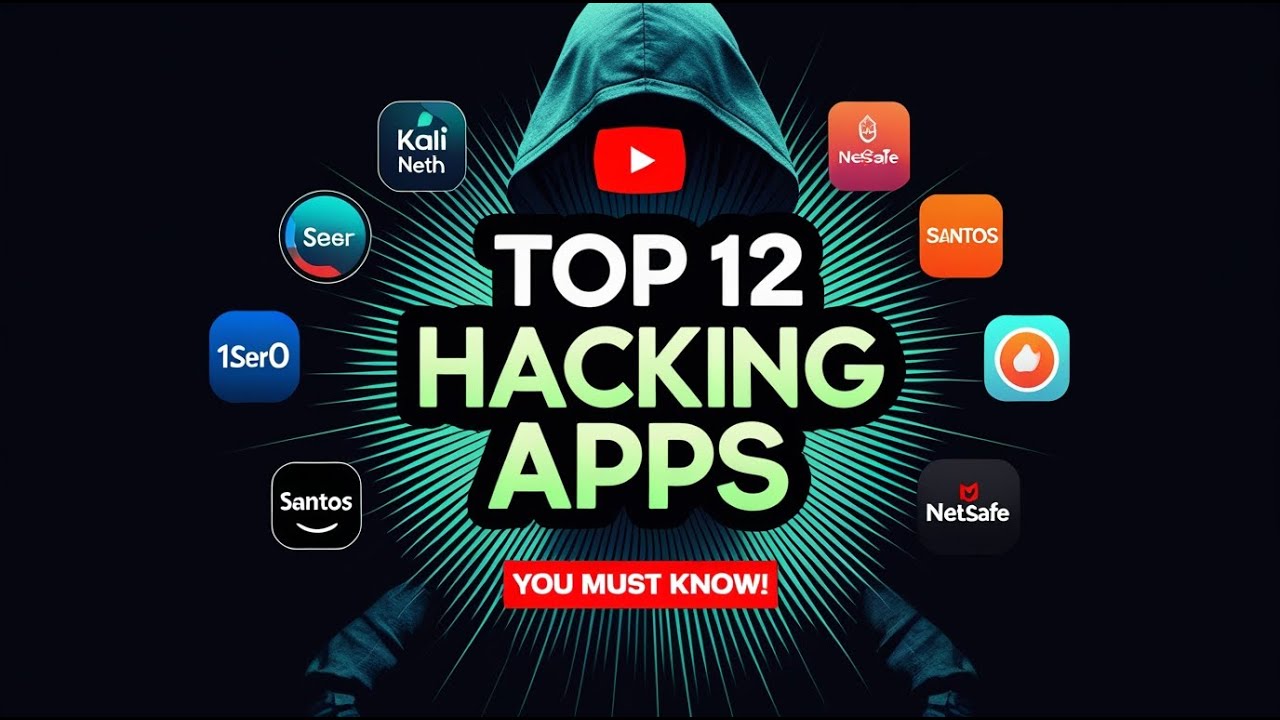
Dominating the Digital Frontier: Transform Your Smartphone into an Ethical Hacking Powerhouse with This Definitive Blueprint


In the ever-evolving landscape of cybersecurity, the tools of the trade are constantly being redefined. Gone are the days when a dedicated, high-powered workstation was the only option for serious penetration testing. Today, the device that likely resides in your pocket – your smartphone – can be transformed into a formidable ethical hacking arsenal. This isn't science fiction; it's a practical reality for the modern cybersecurity operative. This comprehensive blueprint will guide you through the process of turning your phone into a mobile command center, equipping you with the knowledge and the applications to perform sophisticated digital reconnaissance, network analysis, and vulnerability assessments—all from the palm of your hand.

STRATEGY INDEX

01. The Pocket Supercomputer: The Paradigm Shift

The advent of powerful, ARM-based processors and the increasing sophistication of mobile operating systems have blurred the lines between consumer devices and professional tools. Your smartphone is no longer just for communication and entertainment; it's a portable computational resource. This section explores the fundamental concept of leveraging your phone's processing power, connectivity, and portability for advanced cybersecurity tasks. We'll discuss why this shift is significant and what it means for the agile security professional.

02. The Foundation: Rooting and OS Essentials

Before installing any specialized tools, a solid understanding of your phone's operating system and the necessity of gaining elevated privileges is paramount. For Android devices, this typically involves rooting. Rooting unlocks the deepest levels of the Android system, allowing for the installation of custom ROMs, powerful system-level applications, and complete control over the device's functionalities. It's the essential first step to unlocking its full potential as a hacking platform.

Technical Note: Rooting voids warranties and carries inherent risks if not performed correctly. Always follow trusted guides specific to your device model and firmware version. Research thoroughly before proceeding.

For iOS, the equivalent is jailbreaking. While less common for security professionals due to Apple's tighter ecosystem, jailbreaking provides similar levels of system access necessary for installing third-party applications and system modifications outside the App Store.

03. The Kali Linux Experience: Mobile Powerhouse

Kali Linux is the de facto standard for penetration testing and digital forensics. The ability to run a full Kali Linux environment on your smartphone is a game-changer. Applications like Termux, combined with specific repositories and configurations, allow you to install many of Kali's core tools directly onto your Android device. This provides a familiar and powerful command-line interface, replicating the desktop Kali experience.

Key Steps with Termux:

  • Install Termux from a trusted source (e.g., F-Droid, as Google Play Store version is outdated).
  • Update package lists: pkg update && pkg upgrade
  • Install essential packages: pkg install git python nmap openssh nano wget
  • Explore installing Linux distributions within Termux using scripts like nethunter-installer (requires root).

04. The Network Toolkit: Essential Scanning & Analysis Apps

Understanding the network is fundamental. These applications provide the eyes and ears needed to map out digital infrastructure and identify potential vulnerabilities.

  • Nmap (Network Mapper): While often used on desktops, mobile versions or Termux installations allow for on-the-go network discovery and port scanning. Identify active hosts, open ports, and running services.
  • Fing - Network Scanner: A user-friendly application for identifying devices on a network, assessing network security, detecting intruders, and troubleshooting network problems. Excellent for quick, visual network assessments.
  • NetX Network Tools: Offers a suite of essential networking utilities including ping, traceroute, DNS lookup, and WHOIS information, all from a mobile interface.

05. The Recon Swiss Army Knife: Intelligence Gathering

Reconnaissance is the first phase of most ethical hacking engagements. These tools help gather passive and active intelligence about targets.

  • Hacker Keyboard / External Keyboard Support: Essential for efficient command-line work. A good keyboard layout with dedicated function keys (F1-F12) and arrow keys dramatically improves productivity.
  • Termux:API: Allows Termux to interact with your device's hardware and features, such as the camera, GPS, and sensors, opening up unique reconnaissance avenues.
  • OSINT Tools (Various Apps/Scripts): Search for apps or scripts that automate OSINT (Open-Source Intelligence) tasks, such as gathering social media information, domain details, and email addresses. Many can be run via Python scripts in Termux.

Wireless networks are often a significant attack vector. These apps are designed to assess their security.

  • Aircrack-ng Suite (via Termux/NetHunter): The industry standard for WiFi auditing. Requires a compatible external wireless adapter and root access. Allows for packet capture, WEP/WPA/WPA2 cracking, and deauthentication attacks.
  • WPS Connect: Specifically targets the WPS (Wi-Fi Protected Setup) vulnerability, attempting to connect to WiFi networks that have WPS enabled. (Use with extreme caution and only on networks you have explicit permission to test).
  • WiFi Analyzer: Helps you understand your WiFi environment, identify channel congestion, and find the best channel for your network. While not strictly an attack tool, it's crucial for understanding network performance and potential interference.

Advertencia Ética: La siguiente técnica debe ser utilizada únicamente en entornos controlados y con autorización explícita. Su uso malintencionado es ilegal y puede tener consecuencias legales graves.

07. Know Your Network: Advanced Mapping & Discovery

Beyond basic scanning, these tools offer deeper insights into network topology and device behavior.

  • Angry IP Scanner (Mobile Version): A fast and versatile IP address and port scanner. Easy to use interface provides quick scans of network ranges.
  • Advanced IP Scanner: Similar to Fing, it provides detailed information about connected devices, including MAC addresses, manufacturer, and shared folders.

08. The Advanced Penetration Suite: Exploitation Tools

Once vulnerabilities are identified, exploitation tools allow ethical hackers to test the impact of these weaknesses.

  • Metasploit Framework (via Termux/NetHunter): The most comprehensive penetration testing framework. Running this on a mobile device is resource-intensive but provides access to thousands of exploits, payloads, and auxiliary modules. Requires significant technical expertise.
  • SQLMap (via Termux): An automated SQL injection tool that detects and exploits SQL injection flaws in web applications. Invaluable for testing web application security.
  • Hydra (via Termux): A parallel brute-force login cracker, supporting numerous protocols to attack network login facilities. Useful for testing password strength against services like SSH, FTP, and HTTP basic authentication.

09. Remote Administration: Access Anywhere

Seamless remote access is key for managing systems and executing commands from your mobile device.

  • SSH Clients (e.g., Termux, JuiceSSH): Secure Shell clients are indispensable for connecting to servers and remote machines. Termux itself includes an SSH client. JuiceSSH offers a more graphical interface for Android.
  • VNC Viewer: Allows you to remotely control your desktop computer or servers with a graphical interface, effectively turning your phone into a remote desktop client.

10. The Session Hijacker: Understanding Traffic Interception

Understanding how network traffic flows and how sessions can be intercepted is critical. This knowledge aids in both defense and offense.

  • Ettercap (via Termux/NetHunter): A comprehensive suite for man-in-the-middle attacks. It supports sniffing, traffic control, and active eavesdropping on the network. Essential for understanding network security weaknesses related to unencrypted traffic.
  • mitmproxy (via Termux): An interactive, SSL/TLS-capable intercepting proxy. Powerful for inspecting, modifying, and replaying web traffic. Excellent for debugging and security testing of web applications.

Advertencia Ética: La siguiente técnica debe ser utilizada únicamente en entornos controlados y con autorización explícita. Su uso malintencionado es ilegal y puede tener consecuencias legales graves.

11. The Network Mapper: Visualizing Your Digital Terrain

Visualizing network layouts and data flows can reveal insights that text-based outputs miss.

  • Nmap's Zenmap (Can be run remotely): While not directly on the phone, you can use your phone to connect to a system running Zenmap or to trigger Nmap scans that generate output files viewable with graphical tools later.
  • Diagramming Apps (e.g., Draw.io/diagrams.net, Miro): Use mobile versions of these tools to sketch out network topologies based on your findings from other scanning apps. This aids in documentation and analysis.

12. Your Phone's Secure Gateway: VPNs and Proxies

Maintaining anonymity and securing your connection is paramount when performing sensitive tasks. A Virtual Private Network (VPN) or a proxy chain can mask your IP address and encrypt your traffic.

  • Reputable VPN Services: Choose a VPN provider known for its no-logs policy and strong encryption. Many offer dedicated Android and iOS apps.
  • Proxy Tools (e.g., ProxyDroid): Applications that allow you to route all or specific app traffic through a proxy server. Useful for chaining proxies for enhanced anonymity.
  • Tor Browser (Android): Provides access to the Tor network, routing your internet traffic through multiple volunteer-operated servers to conceal your identity and location.

13. The Bootable USB in Your Pocket: Mobile Forensics & Recovery

Beyond offensive capabilities, your smartphone can also be a powerful tool for digital forensics and data recovery.

  • Forensic Imaging Apps (Requires Root): Certain apps, often requiring root access, can create bit-for-bit images of storage media or even other devices connected via USB OTG (On-The-Go).
  • Data Recovery Software (via Termux): Tools like testdisk and photorec, available in Termux, can be used to recover deleted files from storage devices.
  • USB OTG Adapters: These small adapters allow you to connect standard USB devices (like external hard drives, keyboards, or even other phones) to your smartphone, expanding its utility for forensic data acquisition.

14. Use Your Powers for Good: Ethical Considerations

The power to probe and potentially exploit systems comes with immense responsibility. Ethical hacking is about improving security, not compromising it for malicious gain. Always adhere to the following principles:

  • Obtain Explicit Permission: Never test systems or networks without written authorization from the owner. Unauthorized access is illegal and unethical.
  • Respect Privacy: Do not access, store, or share sensitive personal information discovered during an engagement.
  • Report Findings Responsibly: Document your findings clearly and present them to the system owner through agreed-upon channels.
  • Stay Updated: The cybersecurity landscape changes daily. Continuous learning is not optional; it's mandatory.

Advertencia Ética: La siguiente técnica debe ser utilizada únicamente en entornos controlados y con autorización explícita. Su uso malintencionado es ilegal y puede tener consecuencias legales graves.

Comparative Analysis: Mobile vs. Desktop Hacking Platforms

While mobile platforms offer unparalleled portability and convenience, desktop environments still hold distinct advantages.

Mobile Advantages:

  • Portability: Conduct security assessments anywhere, anytime.
  • Discretion: Less conspicuous than carrying a laptop.
  • Connectivity: Leverages built-in cellular and WiFi capabilities.
  • Cost-Effectiveness: Utilizes existing hardware.

Desktop Advantages:

  • Processing Power: Significantly more powerful for intensive tasks like brute-forcing or complex simulations.
  • Storage Capacity: Larger disk space for data capture and tool installation.
  • User Interface: More ergonomic for prolonged use and complex multi-window operations.
  • Hardware Compatibility: Wider support for specialized hardware (e.g., high-gain WiFi adapters, SDRs).
  • Software Ecosystem: Access to a broader range of professional-grade, resource-intensive security suites.

Ultimately, mobile devices are excellent for reconnaissance, quick scans, and on-the-go analysis, while desktops remain the powerhouse for deep dives, complex exploitation, and extensive data processing.

The Engineer's Verdict

Transforming your smartphone into an ethical hacking tool is not just a novelty; it's a strategic enhancement to your cybersecurity toolkit. The ability to perform network analysis, reconnaissance, and even initial exploitation from a device that fits in your pocket democratizes access to powerful security capabilities. While it won't replace a dedicated desktop setup for every scenario, it offers an agility and accessibility that is unmatched. Master these tools, understand their limitations, and always operate within the bounds of ethical conduct. The digital frontier is yours to explore, responsibly.

Frequently Asked Questions

Q1: Is it legal to use these apps on my phone?
Using these applications is legal for educational purposes and for testing networks and systems you own or have explicit written permission to test. Unauthorized access or use against systems you do not own is illegal and carries severe penalties.
Q2: Will rooting/jailbreaking my phone damage it?
Rooting or jailbreaking carries risks, including bricking your device if done incorrectly. It also voids your manufacturer's warranty. Always follow reputable guides specific to your device model and proceed with caution.
Q3: Can I run all desktop hacking tools on my phone?
Many popular tools can be run via environments like Termux or dedicated distributions like NetHunter. However, resource-intensive tools or those with complex hardware dependencies may not perform optimally or may not be compatible with a mobile environment.
Q4: How can I protect myself while using these tools?
Always use a reputable VPN service, understand the risks associated with each tool, and ensure you are operating within legal and ethical boundaries. Never compromise systems without authorization.

About The Author

The cha0smagick is a veteran digital operative and polymath technologist, specializing in the trenches of cybersecurity engineering and ethical exploitation. With a pragmatic, no-nonsense approach forged in the crucible of countless system audits and digital investigations, they translate complex technical challenges into actionable blueprints. Their mission is to equip fellow operatives with the knowledge and tools necessary to navigate and secure the digital realm, one meticulously crafted dossier at a time.

If this blueprint has provided critical intelligence, disseminate it. Share it with your network. For those ready to elevate their operational capabilities, the next mission awaits. What digital fortress do you want to breach next? Voice your demands in the comments below. Let's build the ultimate guide together.

Mission Debriefing

Execute the strategies outlined. Document your findings. Share your successes and challenges. The most valuable intel is shared intel. Engage in the comments section below.

Trade on Binance: Sign up for Binance today!
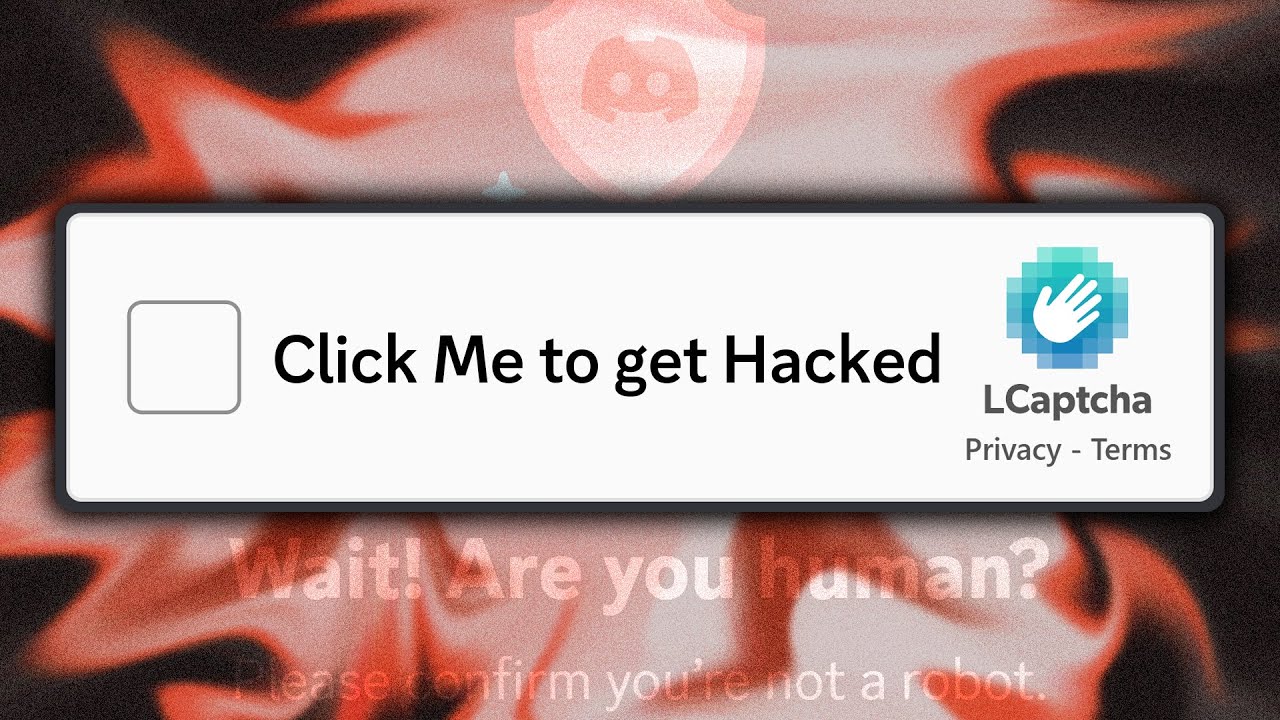
Mastering the Discord Captcha Scam: A Definitive Guide to Identification and Defense


The digital realm is a battlefield, and new threats emerge daily. Today, we dissect a particularly insidious one: the Discord Captcha scam. This isn't just about protecting your Discord; it's about understanding a pervasive threat that can compromise your entire digital presence. This dossier provides the blueprint for identifying, understanding, and neutralizing this threat.

Introduction: The Pervasive Captcha Threat

The digital landscape is constantly evolving, and with it, the sophistication of malicious actors. A new wave of scams is targeting users across the internet, masquerading as legitimate "captcha" verification processes. While initially gaining notoriety on platforms like Discord, this threat is far more widespread. These deceptive captchas are designed to appear innocuous, yet upon completion, they can initiate a cascade of malicious actions, including the compromise of your Discord account and, potentially, much more. This guide will equip you with the intelligence needed to identify these scam captchas, understand their underlying mechanics, and implement robust defensive measures.

How the Scam Captcha Looks and Appears

The hallmark of this scam is its adaptability. You might encounter these fake captchas not just on Discord, but integrated into various websites, pop-up windows, or embedded within seemingly legitimate content. They often mimic the appearance of genuine captchas, using familiar interfaces with elements like checkboxes, image selection puzzles, or simple text entry fields. The key differentiator is usually context and origin. If a captcha appears unexpectedly, outside of a standard login or verification flow, or on a site you don't typically interact with for verification, skepticism is warranted.

The Deceptive Captcha Completion Process

The user experience is designed to lull you into a false sense of security. After clicking the "I'm not a robot" checkbox or solving a simple puzzle, the scam doesn't end there. Instead of granting access or verifying your humanity, the completion of the captcha triggers a silent, background process. This is where the malicious payload is delivered. The user, believing they have successfully verified themselves, proceeds unaware of the compromise occurring in the background.

How the Captcha Scam Actually Works: Technical Mechanics

At its core, this scam leverages browser vulnerabilities and social engineering. When a user interacts with the fake captcha, they are often executing JavaScript code delivered by the malicious site. This code can perform several actions:

  • Token Stealing: The script can attempt to steal authentication tokens, particularly those stored by your browser for persistent logins to websites like Discord.
  • Malware Download: It can trigger the download of executable files disguised as necessary plugins or verification tools.
  • Exploiting Browser Vulnerabilities: In some cases, the malicious script might exploit known or zero-day vulnerabilities in the user's browser or its extensions to gain deeper access to the system.
  • Clipboard Hijacking: Advanced versions can monitor your clipboard for sensitive information like passwords or API keys.

The scam capitalizes on the user's ingrained habit of completing captchas without deep scrutiny.

Spicy Sketchy Behaviour: Understanding the Payload

The "spicy sketchy behavior" refers to the actions initiated once the captcha is "completed." This isn't just a simple script execution. The payload can be multifaceted:

  • Account Enumeration: The script might attempt to identify other logged-in accounts on your machine.
  • Data Exfiltration: It prepares to send stolen information back to the attacker's command and control (C2) server.
  • Persistence Mechanisms: In more severe cases, the payload might attempt to establish persistence, ensuring it runs even after a reboot.

The ultimate goal is to maximize the data extracted and the potential damage inflicted.

The LOOT: What the Attackers Steal

The primary targets for these attackers are:

  • Discord Account Tokens: These tokens allow attackers to impersonate users, join servers, send messages, and potentially gain administrative access.
  • Credentials for Other Services: If the user has saved passwords or is logged into other sites, the malware could attempt to steal those credentials.
  • Personal Information: Depending on the depth of the compromise, files on the local machine could be targeted.
  • Cryptocurrency Wallets: If the user interacts with cryptocurrency platforms, attackers may try to steal wallet keys or redirect transactions.

The value of the stolen data varies, but Discord tokens are particularly high-value due to the platform's widespread use in communities and for business communications.

PSA: Discord's Own Captchas - A Clarification

It's crucial to distinguish these scam captchas from Discord's legitimate verification processes. Discord employs captchas primarily during account creation, password resets, or when suspicious activity is detected to protect users. These official captchas are integrated directly into the Discord application or website and are generally considered secure. The scam captchas, conversely, are external, often appearing as unsolicited pop-ups or embedded on third-party sites claiming to be related to Discord verification. Always verify the source; if in doubt, navigate directly to Discord via its official URL.

Defense Protocols: Identifying and Avoiding Scam Captchas

To fortify your defenses against these threats:

  • Scrutinize the Source: Never click on links or complete verification processes from unsolicited messages or unknown websites. Always navigate directly to the official website.
  • Context is Key: Be suspicious of captchas that appear randomly or outside of a standard login/verification process.
  • Browser Security: Keep your browser updated to the latest version to patch known vulnerabilities. Consider using security extensions that block malicious scripts.
  • Antivirus/Anti-Malware: Ensure you have reputable security software installed and running, and keep it updated.
  • Token Security: Never share your Discord token. If you suspect your token has been compromised, immediately change your Discord password and log out of all sessions via Discord settings.
  • Two-Factor Authentication (2FA): Enable 2FA on your Discord account and all other critical online services. This adds a significant layer of security.

Advanced Threat Analysis: Beyond Discord

The techniques employed in these captcha scams are not unique to Discord. They represent a broader trend in phishing and malware distribution. Attackers are constantly seeking novel ways to bypass user awareness and security protocols. Understanding the underlying principles—social engineering, script execution, and token/credential theft—is vital for recognizing similar threats across different platforms and applications. This methodology can be applied to any scenario where a user is prompted for verification or interaction under suspicious circumstances.

The Engineer's Arsenal: Tools for Digital Defense

To enhance your security posture, consider integrating the following into your digital toolkit:

  • NordVPN: For masking your IP address and encrypting your internet traffic, making it harder for malicious actors to track your online activity. Get an Exclusive NordVPN deal + 4 months extra here. It’s risk-free with Nord’s 30-day money-back guarantee!
  • Reputable Antivirus/Anti-Malware Suite: Such as Malwarebytes, Bitdefender, or Kaspersky.
  • Browser Security Extensions: Like uBlock Origin (for ad and script blocking) and Privacy Badger.
  • Password Manager: To generate and store strong, unique passwords for all your accounts.

Comparative Analysis: Captcha Scams vs. Traditional Phishing

Traditional phishing attacks rely on deceptive emails or messages impersonating legitimate entities to trick users into revealing sensitive information or clicking malicious links. Captcha scams, while a form of social engineering, differ in their execution. Instead of directly asking for credentials, they leverage the user's learned behavior of completing verification tasks. The compromise is often silent and happens post-interaction, making it more insidious than overt requests for passwords. While phishing aims for direct credential theft, captcha scams often aim for token theft or malware delivery, which can indirectly lead to credential compromise or system control.

The Engineer's Verdict

This Discord Captcha scam is a potent example of how attackers exploit ingrained user behaviors. Its effectiveness lies in its subtlety and ubiquity. Vigilance, a healthy dose of skepticism, and robust security practices—including up-to-date software, strong authentication methods like 2FA, and a reliable VPN—are your best defenses. Treat every unexpected verification prompt as a potential threat until proven otherwise. The digital security of your accounts and systems depends on this diligent approach.

Frequently Asked Questions

Can completing a fake captcha truly hack my computer?
Yes, it can. The fake captcha can trigger the download and execution of malware, exploit browser vulnerabilities, or steal sensitive authentication tokens, effectively compromising your system or accounts.
How do I know if Discord's captcha is real?
Legitimate Discord captchas appear within the official Discord application or website during specific processes like signup or password reset. Be wary of any captcha appearing on a third-party site or as an unexpected pop-up.
What is a Discord token and why is it dangerous if stolen?
A Discord token is a unique identifier that allows your browser or an application to stay logged into your Discord account without needing to re-enter your password. If stolen, an attacker can use it to impersonate you, access your servers, and send messages as you.
Is enabling 2FA enough to protect my Discord account?
2FA significantly enhances your security by requiring a second form of verification. However, if your account token is stolen, an attacker might still gain access. Always practice safe browsing habits in addition to using 2FA.

About the Author

The Cha0smagick is a seasoned digital operative, blending the analytical rigor of an intelligence analyst with the pragmatic execution of an elite hacker. With years spent navigating the complex architecture of digital systems and uncovering vulnerabilities, they provide actionable intelligence and technical blueprints designed to empower fellow operators in the digital domain. This dossier is a product of deep-dive analysis and field experience.

Your Mission: Execute, Share, and Debate

If this blueprint has armed you with the knowledge to identify and neutralize this threat, share it within your network. Digital security is a collective responsibility. A well-informed operative strengthens the entire network.

Know someone still vulnerable to this scam? Tag them in the comments. No operative left behind.

What threat analysis or technical blueprint should be our next mission? Your input dictates our operational focus. Demand it in the comments.

Mission Debriefing

Engage in the comments below. Share your experiences, ask clarifying questions, and contribute your insights. This is where we consolidate our intelligence and refine our strategies.

, "headline": "Mastering the Discord Captcha Scam: A Definitive Guide to Identification and Defense", "image": [], "datePublished": "PUBLICATION_DATE", "dateModified": "MODIFICATION_DATE", "author": { "@type": "Person", "name": "The Cha0smagick", "url": "URL_OF_THE_AUTHOR_PAGE" }, "publisher": { "@type": "Organization", "name": "Sectemple", "logo": { "@type": "ImageObject", "url": "URL_OF_YOUR_LOGO" } }, "description": "Dissecting the pervasive Discord Captcha scam: Learn how to identify, understand, and defend against deceptive captchas that can compromise your accounts and systems." }
, { "@type": "ListItem", "position": 2, "name": "Cybersecurity", "item": "URL_TO_CYBERSECURITY_CATEGORY" }, { "@type": "ListItem", "position": 3, "name": "Mastering the Discord Captcha Scam: A Definitive Guide to Identification and Defense" } ] }
}, { "@type": "Question", "name": "How do I know if Discord's captcha is real?", "acceptedAnswer": { "@type": "Answer", "text": "Legitimate Discord captchas appear within the official Discord application or website during specific processes like signup or password reset. Be wary of any captcha appearing on a third-party site or as an unexpected pop-up." } }, { "@type": "Question", "name": "What is a Discord token and why is it dangerous if stolen?", "acceptedAnswer": { "@type": "Answer", "text": "A Discord token is a unique identifier that allows your browser or an application to stay logged into your Discord account without needing to re-enter your password. If stolen, an attacker can use it to impersonate you, access your servers, and send messages as you." } }, { "@type": "Question", "name": "Is enabling 2FA enough to protect my Discord account?", "acceptedAnswer": { "@type": "Answer", "text": "2FA significantly enhances your security by requiring a second form of verification. However, if your account token is stolen, an attacker might still gain access. Always practice safe browsing habits in addition to using 2FA." } } ] }

Trade on Binance: Sign up for Binance today!

Mastering CCTV Reconnaissance: Exposing Scammers with Live Camera Feeds


Advertencia Ética: La siguiente técnica debe ser utilizada únicamente en entornos controlados y con autorización explícita. Su uso malintencionado es ilegal y puede tener consecuencias legales graves.

In the digital trenches of cybersecurity, the line between information gathering and intrusion is a fine one, often navigated by those who seek to expose vulnerabilities for the greater good. This dossier delves into the advanced techniques of leveraging live CCTV camera feeds, not for malicious intent, but as a profound tool for counter-intelligence against malicious actors. We will dissect the methodology, the ethical considerations, and the technical blueprints that enable such operations, transforming a seemingly passive surveillance system into an active defense mechanism.

Today’s mission focuses on a critical aspect of digital forensics and ethical hacking: turning the tables on scammers by exploiting their own surveillance infrastructure. Imagine gaining unauthorized access to a scam call center's CCTV network, then using that direct visual intelligence to confront the perpetrators with their own personal data. This isn't science fiction; it's a high-stakes operation that requires precision, technical prowess, and a deep understanding of network vulnerabilities.

For those looking to proactively secure their digital footprint, understanding how your personal information is exposed is the first step. We highly recommend trying our sponsor, Aura. Gain peace of mind with a 14-day free trial at aura.com/nano to discover how often your personal information appears on the dark web and the internet.

Mission Briefing: Understanding the Threat Landscape

Scam call centers operate by leveraging anonymity and distance to exploit unsuspecting individuals. Their infrastructure, while often robust in terms of communication, can present significant security weaknesses, particularly in how their internal operations are monitored. CCTV systems, intended for internal security and oversight, can inadvertently become a goldmine of intelligence if compromised. By accessing these live feeds, operatives can gain unparalleled insight into the scammers' environment, confirming their location, observing their methods, and identifying key personnel. This intelligence is crucial for effective takedowns and preventing further victimization.

Our operational focus is inspired by the pioneering work of channels like Scambaiter, Jim Browning, and Scammer Payback, who have dedicated themselves to tracking down, identifying, and disrupting scam operations. Their methods, often involving deep dives into digital footprints and creative exploitation of vulnerabilities, provide a blueprint for ethical intervention.

Technical Blueprint: Exploiting CCTV Network Vulnerabilities

The compromise of CCTV systems typically hinges on exploiting common network security flaws. These systems, especially in less sophisticated operations, often rely on default credentials, unpatched firmware, or insecure network configurations. A typical attack vector involves:

  • Default Credentials: Many CCTV systems ship with default usernames and passwords (e.g., admin/admin, admin/password). A reconnaissance phase often involves scanning for devices using common IP ranges and attempting these default logins via tools like Nmap or specialized scanners.
  • Insecure Network Protocols: Protocols like RTSP (Real Time Streaming Protocol) are often used for CCTV feeds. If these streams are exposed to the internet without proper authentication or encryption, they can be intercepted.
  • Firmware Vulnerabilities: Like any software, CCTV firmware can have known vulnerabilities (CVEs). Researching the specific make and model of the camera can reveal exploitable flaws that allow remote access or privilege escalation.
  • Weak Wi-Fi Security: If the CCTV system relies on Wi-Fi, weak encryption (like WEP or WPA) or easily guessable passwords can be a gateway into the network.

The technical process involves identifying potential targets, performing network scans to fingerprint devices and open ports, and attempting known exploits or default credential bypasses. Tools commonly employed in this phase include:

  • Nmap: For network discovery, port scanning, and service version detection.
  • SearchSploit: To quickly find known exploits for identified software versions.
  • Shodan/Censys: Internet-wide search engines that can help identify exposed CCTV devices.
  • Specialized CCTV Scanners: Tools designed to probe for common CCTV vulnerabilities.

Once access is gained, the objective is to locate the live stream URL, which often uses RTSP or HTTP protocols. The specific URL format varies by manufacturer but often looks like `rtsp://:/`.

Intelligence Gathering: Accessing Live Feeds

After successfully identifying and gaining access to a CCTV system, the next critical step is to obtain the live video stream. This involves:

  1. Identifying the Stream Protocol: Determine if the feed uses RTSP, HTTP, or another protocol. This is often found through device documentation or by observing network traffic.
  2. Locating the Stream URL: Manufacturers have different URL structures. Common paths might include `/live.sdp`, `/stream1`, or similar variations. Sometimes, a device's web interface, if accessible, will provide the stream URL.
  3. Utilizing VLC Media Player: The versatile VLC Media Player is an excellent tool for testing and viewing these streams. By navigating to "Media" > "Open Network Stream" and entering the suspected RTSP or HTTP URL, you can verify if the feed is accessible.
  4. Scripting for Automation: For efficiency, especially when dealing with multiple potential targets, scripting the process of attempting various URL combinations and stream protocols can be highly effective. Python with libraries like `requests` (for HTTP) and `python-rtsp-client` (for RTSP) can automate this reconnaissance.

Example Python Snippet for RTSP Stream Access:


import cv2
import sys

# Example: Replace with actual IP, port, and path RTSP_URL = "rtsp://admin:admin@192.168.1.108:554/Streaming/Channels/101"

cap = cv2.VideoCapture(RTSP_URL)

if not cap.isOpened(): print("Error: Could not open RTSP stream.") sys.exit()

while True: ret, frame = cap.read() if not ret: print("Error: Failed to grab frame.") break

cv2.imshow('Live CCTV Feed', frame)

if cv2.waitKey(1) & 0xFF == ord('q'): break

cap.release() cv2.destroyAllWindows()

This Python script utilizes the OpenCV library to connect to an RTSP stream and display the video feed. By adapting the `RTSP_URL`, this technique can be applied to various accessible CCTV systems.

Counter-Intelligence Operations: Confrontation and Exposure

Once a stable live feed from a scam call center is established, the true mission begins: confrontation. This phase requires meticulous planning and execution, blending technical access with psychological tactics.

  1. Information Cross-Referencing: Using the visual intelligence from the CCTV feed, operatives can identify individuals. This visual data is then cross-referenced with other sources (e.g., leaked databases, social media profiles, previous intelligence) to obtain their real names, contact information, and potentially, details about their operations.
  2. Direct Confrontation (VoIP/Masked Calls): The gathered personal information is then used to confront the scammers. This is typically done via VoIP calls or other masked communication channels to maintain the operative's anonymity. The goal is to reveal that their identity and location are known, causing panic and disruption.
  3. Documentation and Reporting: All interactions, visual evidence, and gathered intelligence are meticulously documented. This documentation is crucial for potential reporting to law enforcement agencies or for creating educational content that warns the public.
  4. Leveraging Collaborations: As demonstrated by the inspiration channels, collaboration is key. Sharing information and coordinating efforts with other scambaiters or outreach groups amplifies the impact and reach of these operations. Big thanks to collaborators like @MidnightSB and @theavahoutgroup for their invaluable assistance in such missions.

The psychological impact of being confronted by someone who knows their real identity and personal details can be devastating for scammers, often leading to the abandonment of their operations or significant operational disruption.

Ethical Framework and Legal Safeguards

Navigating the ethical and legal landscape of such operations is paramount. While the intent is to disrupt criminal activity, unauthorized access to systems is illegal in most jurisdictions. Therefore, strict adherence to ethical hacking principles is non-negotiable:

  • Authorization: Ideally, operations should be conducted with law enforcement oversight or in collaboration with them. However, in many scambaiting scenarios, this is not feasible.
  • Minimizing Harm: The primary objective is to disrupt criminal activity and protect potential victims, not to cause undue harm or financial loss to the perpetrators beyond what is necessary for disruption.
  • Data Privacy: While exposing scammers' personal information is part of the tactic, care must be taken not to expose information of uninvolved individuals who might be incidentally captured on camera.
  • Purpose Limitation: The acquired intelligence should only be used for the stated purpose of disrupting the scam operation and reporting to authorities.
  • Jurisdictional Awareness: Laws regarding hacking, surveillance, and data privacy vary significantly by region. Operatives must be aware of and comply with the laws in their own jurisdiction and, where possible, the jurisdiction of the target.

The goal is to operate within a gray area, leveraging technical skills for a positive outcome while minimizing legal risks. The focus remains on defensive cybersecurity and ethical intervention.

The Arsenal of the Digital Operative

Equipping oneself for these missions involves a combination of hardware, software, and knowledge. The digital operative's toolkit includes:

  • High-Performance Computing: A robust machine capable of running virtual machines, intensive scanning tools, and video processing software.
  • Virtualization Software: VMware or VirtualBox for creating isolated environments to run various operating systems and tools safely.
  • Network Analysis Tools: Wireshark for deep packet inspection, Nmap for network scanning, and specialized tools for identifying device types and vulnerabilities.
  • Programming Languages: Python is indispensable for scripting automated tasks, network interactions, and data analysis.
  • VPN Services: For masking IP addresses and encrypting traffic, ensuring anonymity. A reputable VPN service is critical for security.
  • Operating Systems: Linux distributions like Kali Linux or Parrot OS are favored for their pre-installed security tools.
  • Communication Tools: Secure messaging apps and VoIP services with masking capabilities.
  • Open Source Intelligence (OSINT) Tools: Platforms and techniques for gathering information from publicly available sources.
  • Video Playback Software: VLC Media Player for analyzing video streams.

Books like "Hacking: The Art of Exploitation" by Jon Erickson and "The Web Application Hacker's Handbook" provide foundational knowledge. Online resources and certifications such as CompTIA Security+, CEH, or OSCP can formalize skills, though practical experience in controlled environments is invaluable.

Comparative Analysis: CCTV Exploitation vs. Traditional Methods

Confronting scammers through compromised CCTV feeds offers distinct advantages over traditional methods:

  • Direct Visual Confirmation: Unlike phone-based scambaiting, CCTV access provides direct visual proof of the scammers' environment, personnel, and activities. This leads to more potent and verifiable intelligence.
  • Environmental Context: Observing the surroundings in the CCTV feed can reveal crucial details about the scam center's location, operational scale, and even specific equipment used, aiding in broader investigations.
  • Psychological Impact Amplification: Revealing not just their name but also their physical environment and activities significantly increases the psychological pressure on scammers, making them feel exposed and vulnerable.
  • Scalability: With the right tools and techniques, accessing multiple CCTV feeds can be more scalable than managing numerous individual phone call baits.

However, traditional methods like phone-based scambaiting remain valuable for their accessibility and lower technical barrier to entry. They are effective for gathering voice recordings, tracing phone numbers, and engaging scammers directly in conversation. Combining both approaches, where feasible, offers the most comprehensive strategy.

Mission Debrief: Lessons Learned and Future Operations

Successfully executing an operation like confronting scammers via their own CCTV network yields significant insights. The key takeaways often include:

  • The Pervasiveness of Weak Security: Many seemingly sophisticated operations still rely on basic security oversights, making them surprisingly vulnerable.
  • The Power of Visual Intelligence: Live video feeds offer a layer of intelligence that is difficult to obtain through other means, providing irrefutable evidence and context.
  • Ethical Boundaries are Crucial: Operating within legal and ethical frameworks is paramount to ensure the legitimacy of the operation and avoid personal repercussions.
  • Collaboration Enhances Impact: Working with other operatives and groups magnifies the effectiveness and reach of disruption efforts.

Future operations will continue to refine these techniques, focusing on more sophisticated methods of network penetration, advanced OSINT integration, and developing non-confrontational ways to disrupt scam operations, potentially through automated reporting or system sabotage (within ethical bounds). The ongoing battle against cybercrime requires constant innovation and adaptation.

Frequently Asked Questions

Is it legal to hack into CCTV cameras?
Unauthorized access to computer systems, including CCTV networks, is illegal in most jurisdictions. Ethical hacking principles dictate that such activities should only be performed with explicit permission or in collaboration with law enforcement for investigative purposes. This guide is for educational purposes regarding security vulnerabilities and ethical countermeasures.
How can I protect my own CCTV system from being hacked?
Always change default passwords to strong, unique ones. Keep firmware updated. Use strong Wi-Fi encryption (WPA2/WPA3). If possible, segment your CCTV network from your main network. Avoid exposing camera streams directly to the internet without proper security measures like VPN access.
What are the risks involved in scambaiting operations like this?
Risks include legal repercussions for unauthorized access, retaliation from scammers, exposure of your own personal information, and the psychological toll of interacting with malicious actors.
Where can I learn more about ethical hacking and cybersecurity?
Reputable sources include certifications like CompTIA Security+, CEH, OSCP, online learning platforms (Coursera, Udemy), and cybersecurity communities. Studying the work of experienced ethical hackers and security researchers is also highly beneficial.

About the Operative

This dossier was compiled by "The Cha0smagick," a seasoned digital operative with extensive experience in network forensics, vulnerability analysis, and ethical exploitation. With a pragmatic and analytical approach forged in the digital shadows, The Cha0smagick transforms complex technical challenges into actionable intelligence and robust defensive strategies. This report represents another mission briefing from the Sectemple archives, designed to equip fellow operatives with the knowledge to navigate and neutralize digital threats.

Your Mission: Execute, Share, and Debate

If this blueprint has illuminated the path to understanding and combating illicit digital operations, share it. Let the knowledge flow. Every operative armed with this intelligence strengthens our collective defense.

Share this dossier with your network. Post it on forums, share it on social media. The more eyes that see this, the more vulnerable scammers become.

Challenge your peers: Identify a vulnerability in a system you oversee (with permission) and document your findings. Apply these principles ethically.

Debriefing of the Mission

What are your thoughts on the ethics of this operation? What further steps would you take, or what risks do you foresee? Share your insights in the comments below. Your input is vital for our next mission briefing.

json [ { "@context": "https://schema.org", "@type": "BlogPosting", "mainEntityOfPage": { "@type": "WebPage", "@id": "YOUR_POST_URL" }, "headline": "Mastering CCTV Reconnaissance: Exposing Scammers with Live Camera Feeds", "image": [], "datePublished": "YYYY-MM-DD", "dateModified": "YYYY-MM-DD", "author": { "@type": "Person", "name": "The Cha0smagick", "url": "YOUR_AUTHOR_PROFILE_URL" }, "publisher": { "@type": "Organization", "name": "Sectemple", "logo": { "@type": "ImageObject", "url": "YOUR_LOGO_URL" } }, "description": "Learn advanced techniques for ethical CCTV reconnaissance to expose and disrupt scam operations. This guide details technical exploits, intelligence gathering, and confrontation strategies.", "keywords": "CCTV hacking, ethical hacking, cybersecurity, scammer investigation, network penetration, digital forensics, scambaiting, vulnerability analysis, live camera feeds, RTSP, information security" }, { "@context": "https://schema.org", "@type": "BreadcrumbList", "itemListElement": [ { "@type": "ListItem", "position": 1, "name": "Home", "item": "YOUR_HOMEPAGE_URL" }, { "@type": "ListItem", "position": 2, "name": "Cybersecurity", "item": "YOUR_CATEGORY_URL" }, { "@type": "ListItem", "position": 3, "name": "Mastering CCTV Reconnaissance: Exposing Scammers with Live Camera Feeds" } ] }, { "@context": "https://schema.org", "@type": "FAQPage", "mainEntity": [ { "@type": "Question", "name": "Is it legal to hack into CCTV cameras?", "acceptedAnswer": { "@type": "Answer", "text": "Unauthorized access to computer systems, including CCTV networks, is illegal in most jurisdictions. Ethical hacking principles dictate that such activities should only be performed with explicit permission or in collaboration with law enforcement for investigative purposes. This guide is for educational purposes regarding security vulnerabilities and ethical countermeasures." } }, { "@type": "Question", "name": "How can I protect my own CCTV system from being hacked?", "acceptedAnswer": { "@type": "Answer", "text": "Always change default passwords to strong, unique ones. Keep firmware updated. Use strong Wi-Fi encryption (WPA2/WPA3). If possible, segment your CCTV network from your main network. Avoid exposing camera streams directly to the internet without proper security measures like VPN access." } }, { "@type": "Question", "name": "What are the risks involved in scambaiting operations like this?", "acceptedAnswer": { "@type": "Answer", "text": "Risks include legal repercussions for unauthorized access, retaliation from scammers, exposure of your own personal information, and the psychological toll of interacting with malicious actors." } }, { "@type": "Question", "name": "Where can I learn more about ethical hacking and cybersecurity?", "acceptedAnswer": { "@type": "Answer", "text": "Reputable sources include certifications like CompTIA Security+, CEH, OSCP, online learning platforms (Coursera, Udemy), and cybersecurity communities. Studying the work of experienced ethical hackers and security researchers is also highly beneficial." } } ] } ]

Trade on Binance: Sign up for Binance today!

Mastering OSINT: The Definitive Guide to Information Gathering for Digital Operatives


Mission Briefing: What is OSINT?

Welcome, operative, to a deep dive into the world of Open-Source Intelligence (OSINT). In the digital realm, information is power, and OSINT is the art and science of acquiring this power legally and ethically. It's not about cracking codes in the dead of night; it's about meticulously sifting through the vast ocean of publicly available data to uncover valuable intelligence. Think of it as digital archaeology – piecing together profiles, understanding networks, and identifying vulnerabilities by analyzing information that is already out there, accessible to anyone willing to look.

For us at Sectemple, OSINT is a foundational skill. Whether you're a cybersecurity analyst building defensive perimeters, a threat hunter tracking digital adversaries, or an investigator seeking truth, mastering OSINT is paramount. It's the bedrock upon which more complex digital operations are built. This dossier will equip you with the foundational knowledge and practical steps to begin your journey as a proficient OSINT operative.

The Operative's Toolkit: Essential OSINT Tools

Every operative needs the right tools for the job. While the internet itself is the primary source, specialized tools streamline the process, automate data collection, and enhance analysis. Here's a breakdown of essential categories and examples:

  • Search Engines & Operators: Beyond standard Google searches, advanced operators allow for highly targeted queries. We'll delve into these later.
  • Social Media Intelligence (SOCMINT) Tools: Platforms designed to aggregate and analyze data from social networks. Examples include Maltego (for visualizing relationships), SpiderFoot (for automated reconnaissance), and specialized browser extensions.
  • People Search Engines: Websites dedicated to finding information about individuals, often aggregating data from public records, social media, and other sources. Use with caution and adherence to ethical guidelines.
  • Domain & IP Analysis Tools: Tools like WHOIS lookup services, DNS enumeration tools, and IP geolocation databases help map digital infrastructure.
  • Data Visualization Tools: As mentioned in our core philosophy, visualizing data is key. Tools like Mermaid.js or even simple SVG generators can transform raw data into understandable diagrams, maps, or relationship charts.

Remember, the tool is only as good as the operative wielding it. Understanding the fundamentals of OSINT will allow you to leverage any tool effectively.

Training Regimen: Learning OSINT Effectively

Mastering OSINT is a continuous process, akin to rigorous training for a digital operative. It requires discipline, curiosity, and a systematic approach. Here’s how to structure your learning:

  • Start with the Fundamentals: Understand the core principles of OSINT, data privacy, and legal boundaries.
  • Practice Regularly: The more you practice, the more intuitive OSINT becomes. Treat every online presence as a potential data point.
  • Explore Different Domains: Don't limit yourself to one type of data. Explore social media, public records, company filings, news archives, and technical databases.
  • Join Communities: Engage with other OSINT professionals and enthusiasts. Platforms like Reddit have dedicated communities where knowledge is shared freely.
  • Stay Updated: The OSINT landscape is constantly evolving. New tools emerge, and data sources change. Continuous learning is non-negotiable.

Consider this post your initial training module. The insights and resources provided here are designed to accelerate your learning curve.

Your First OSINT Assignment: Field Intel Acquisition

Theory is essential, but practical application is where true mastery is forged. Your first assignment is to compile a basic profile on a publicly known, non-sensitive individual (e.g., a public figure, a fictional character from a widely discussed series, or a consenting friend who understands the educational purpose). The goal is to gather publicly available information and synthesize it.

Objective: Create a concise dossier including:

  • Full Name (if available)
  • Known Affiliations (professional, educational)
  • Primary Social Media Profiles
  • Any publicly available news mentions or interviews

Use the tools and techniques discussed. Document your sources meticulously. This exercise will highlight the power of accessible information and the importance of verification.

Advertencia Ética: La siguiente técnica debe ser utilizada únicamente en entornos controlados y con autorización explícita. Su uso malintencionado es ilegal y puede tener consecuencias legales graves.

Advanced Reconnaissance: Google Search Operators

Google is an OSINT goldmine, but only if you know how to query it effectively. Advanced search operators are your precision tools. Mastering them allows you to cut through the noise and find exactly what you're looking for. Here are some critical operators:

  • site: - Limits your search to a specific website. Example: site:twitter.com "john doe"
  • filetype: - Searches for specific file types. Example: filetype:pdf company report
  • intitle: - Finds pages with a specific word in the title. Example: intitle:"user manual" specific_product
  • inurl: - Finds pages with a specific word in the URL. Example: inurl:login admin panel
  • related: - Finds sites related to a specific website. Example: related:nytimes.com
  • AROUND(X) - Finds words within a specified number of words from each other. Example: "data breach" AROUND(10) "company name"

For an exhaustive list and deeper understanding, consult the official Google Guide:

Google Search Operators Reference

The OSINT Framework: A Centralized Intelligence Hub

Navigating the vast landscape of OSINT tools and resources can be overwhelming. Fortunately, centralized hubs exist to streamline this process. The OSINT Framework is an indispensable resource. It categorizes and lists a plethora of publicly available tools and websites across various domains (people, domains, social media, etc.).

Think of it as your mission control dashboard. When you need to find information on a specific entity or aspect, visiting the OSINT Framework is often the most efficient first step to identify relevant tools and data sources. Explore its structure; it’s designed to guide you systematically.

Intelligence Archives: Further Reading and References

Diving deeper into OSINT requires consulting established knowledge bases and community insights. The following resources have been curated for their value in expanding your understanding and practical skills:

These archives provide context, historical perspective, and advanced methodologies that complement practical application.

Comparative Analysis: OSINT vs. Traditional Surveillance

It's crucial to distinguish OSINT from other intelligence-gathering disciplines. Traditional surveillance often involves physical observation, human informants, or electronic eavesdropping – methods that can be intrusive, costly, and legally complex. OSINT, by contrast, leverages information already in the public domain.

Key Differences:

  • Legality & Ethics: OSINT operates within the bounds of public accessibility. Traditional surveillance can often cross legal and ethical lines if not conducted with proper authorization.
  • Cost & Scalability: OSINT is generally far more cost-effective and scalable than physical surveillance. A skilled OSINT operative can gather vast amounts of data remotely.
  • Risk Profile: OSINT carries a lower physical risk to the operative compared to on-the-ground surveillance. However, it carries its own risks related to data verification and potential legal missteps if not handled carefully.
  • Data Richness: While traditional methods can yield unique insights, OSINT can uncover a breadth and depth of information about an individual's digital footprint, social connections, professional history, and public statements.

In many modern investigations and security assessments, OSINT serves as an initial, non-intrusive phase, often guiding or complementing more direct methods.

Ethical Mandates: Navigating OSINT Responsibly

As an operative, your most critical asset is your integrity. OSINT, while legal, can be misused. Adherence to ethical principles is not optional; it's mandatory for maintaining credibility and operating within the law.

  • Purpose: Always be clear about your objective. Is it for legitimate investigation, cybersecurity defense, academic research, or a well-defined business need?
  • Legality: Ensure your methods comply with all applicable laws, including data privacy regulations (e.g., GDPR, CCPA).
  • Consent: When investigating individuals, seek consent whenever possible, especially for non-publicly adversarial contexts.
  • Minimization: Collect only the data necessary for your objective. Avoid unnecessary intrusion into private lives.
  • Accuracy & Verification: Publicly available information is not always accurate. Always strive to verify information from multiple independent sources.
  • Anonymity: Be mindful of your own digital footprint. Use VPNs, secure browsers, and virtual machines when necessary to protect your operational security.

At Sectemple, we champion ethical intelligence gathering. The information you acquire should empower, protect, and inform, never harm or exploit.

Frequently Asked Questions

OSINT FAQ

Q: Is OSINT legal?
A: Yes, OSINT is legal as it relies on publicly available information. However, the *use* of that information and the *methods* employed to gather it must also be legal and ethical.
Q: Can OSINT be used for malicious purposes?
A: Unfortunately, yes. Any powerful tool can be misused. This is why ethical training and a strong moral compass are paramount for OSINT operatives. Our focus at Sectemple is strictly on defensive and ethical applications.
Q: How long does it take to become proficient in OSINT?
A: Proficiency is a journey. While you can learn the basics and perform simple tasks within weeks, becoming an expert can take years of consistent practice, learning, and adaptation to new tools and techniques.
Q: What's the difference between OSINT and Hacking?
A: Hacking typically involves exploiting vulnerabilities to gain unauthorized access. OSINT gathers information that is already publicly accessible without needing to exploit systems.

About the Architect

The Cha0smagick is a seasoned digital operative and polymath engineer. With years spent dissecting complex systems and architecting robust digital defenses, their expertise spans cybersecurity, data analysis, and covert intelligence gathering. Sectemple serves as their archive of hard-won knowledge, transforming intricate technical data into actionable blueprints for the discerning operative.

Your Mission: Execute, Share, and Debate

This dossier has equipped you with the foundational intelligence for OSINT. Now, the mission is yours to execute.

Debriefing of the Mission

If this blueprint has sharpened your reconnaissance skills or saved you critical operational hours, share it within your professional network. Knowledge is a force multiplier, and a well-informed operative strengthens the entire network. Did you find this guide invaluable? Consider exploring financial diversification tools like those offered by Binance; understanding diverse assets is part of a comprehensive intelligence strategy. What OSINT challenges do you face? What tools or techniques should be dissected in future dossiers? Voice your requirements in the comments below. Your input dictates the next critical mission.

Trade on Binance: Sign up for Binance today!